How much is an IPTV subscription in the UK?
Televo plans start at £15 for one month. The longer the plan, the less you pay per month: 12 months works out at £4.92 a month, and Lifetime is a single £149 payment.
| Plan | Price | Per month | Good for |
|---|---|---|---|
| 1 month | £15 | £15.00 | Trying it on your own TV and broadband before you commit |
| 3 months | £29 | £9.67 | Short-term use without a long commitment |
| 6 months | £45 | £7.50 | A middle ground on price and length |
| 12 months | £59 | £4.92 | The lowest monthly cost, once you know it works for you |
| Lifetime | £149 | One-off payment | People who'd rather pay once than renew |
All prices are in pounds sterling (GBP). Every plan comes with the same service; the only difference is how long it runs.
New Year offer: from 1 December 2026 to 31 January 2027 you can get 12 months + 5 months free (17 months) for £44. See the New Year offer.
Monthly
- One stream at a time
- Xtream Codes or M3U login
- Setup help on WhatsApp
Quarterly
- One stream at a time
- Xtream Codes or M3U login
- Setup help on WhatsApp
Half-year
- One stream at a time
- Xtream Codes or M3U login
- Setup help on WhatsApp
Annual
- One stream at a time
- Xtream Codes or M3U login
- Setup help on WhatsApp
Lifetime
- One stream at a time
- Xtream Codes or M3U login
- Setup help on WhatsApp
How do I purchase an IPTV subscription, step by step?
The whole purchase happens in one WhatsApp chat with our team. There's no checkout or sign-up on this website.
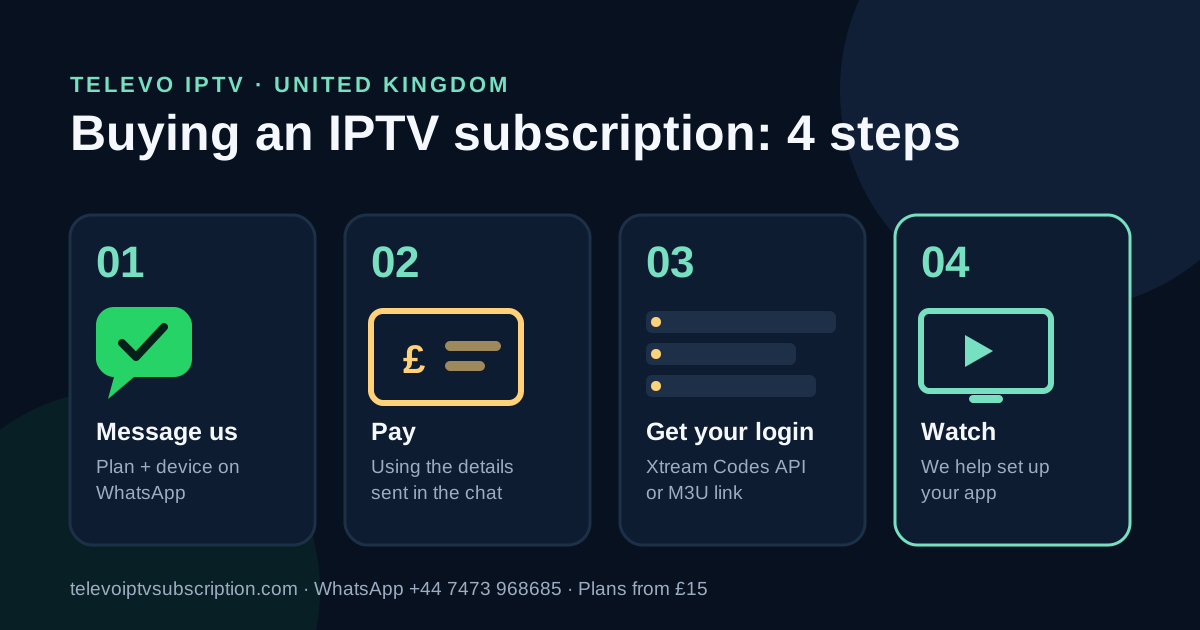
- Message us on WhatsApp. Tap any "Buy on WhatsApp" button on this page, or message +44 7473 968685. Tell us the plan you want and the device you'll watch on, for example a Firestick, Samsung TV, Android box or iPhone. Not sure which plan? Just ask.
- We confirm your order. Someone from the team replies with your plan, the price in pounds and the payment details. If you have questions about VAT, refunds or renewing, ask now, before you pay.
- Pay using the details we send. Only use payment details that come from our chat at +44 7473 968685. If someone messages you from a different number claiming to be us, don't pay. Check with us first.
- Send a payment screenshot if we ask. Sometimes we ask for a screenshot of the payment so we can match it to your order.
- Get your login and set it up with us. We send your login details as Xtream Codes API (server URL, username and password) or an M3U link, and help you install the right app for your device.
Copy and send this on WhatsApp
Hi, I'd like to buy the 12-month Televo IPTV plan (£59). I'll be watching on an Amazon Firestick 4K. Can you send me the payment details?
What happens after I pay?
We send your login and help you get it working on your device. You'll receive one of two login types:
- Xtream Codes API: three details (a server URL, a username and a password) that you type into apps like TiviMate, IPTV Smarters Pro or XCIPTV. It's the easiest option on most devices and usually brings in the TV guide automatically.
- M3U link: one long web address with your details built in. You paste it into players such as GSE Smart IPTV or VLC.
Don't worry about choosing. Tell us which app or device you're using and we'll send the format that fits. For how each app works on each device, see our device-by-device setup guide.
What's included in every plan?
Each plan includes the same features. Here's what you get:
- Live TV channels plus on-demand films and series, where available
- HD and Full HD, with 4K where the channel supports it
- A TV guide (EPG) with catch-up on supported channels and players
- Works on Firestick/Fire TV, compatible Smart TVs, Android and mobile devices
- One stream at a time: install on as many devices as you like, watch on one at a time
- Setup help from a person on WhatsApp
- Prepaid with no contract, and no equipment to buy or return
Which IPTV plan should I buy?
It depends on how sure you are that it works for you. Here's the simplest way to choose:
- New to Televo? Ask for the 24-hour free trial first, then start with 1 month (£15).
- Already know it works on your TV? Go for 12 months (£59). At £4.92 a month it's the cheapest per month.
- Not sure you'll want it all year? 3 months (£29) or 6 months (£45) gives you breathing room.
- Don't want to think about renewing? Lifetime is £149, paid once. Ask us exactly what Lifetime covers before you pay. It's a fair question and we'll answer it.
One thing to know: a plan plays on one screen at a time. If two people at home want to watch different things at the same moment, tell us and ask whether a second connection is available.
Which devices can I watch on?
Most popular UK devices work. These are the apps people commonly use on each one:
| Device | Common apps |
|---|---|
| Amazon Firestick / Fire TV | TiviMate, IPTV Smarters Pro or XCIPTV (installed with the free Downloader app) |
| Android TV / Google TV | TiviMate, OTT Navigator or IPTV Smarters Pro |
| Samsung and LG Smart TVs | IBO Player Pro or Smart IPTV (these may charge their own activation fee) |
| iPhone and iPad | GSE Smart IPTV |
| Android phones and tablets | IPTV Smarters Pro or OTT Navigator |
| Windows and Mac laptops | VLC media player, for a quick check with an M3U link |
Player apps are made by other companies and are separate from your Televo subscription. If your device isn't listed, message us before you buy and we'll tell you honestly whether it will work.
Should I try the free trial before buying?
If you've never used Televo before, yes. Request the 24-hour trial on WhatsApp, test it on the TV you'll actually use at the time you normally watch, and only buy if you're happy. Read how the 24-hour trial works or go to the free trial page.
What should I check before I pay?
Five minutes now saves a headache later. Before paying, make sure of these:
- The final total in pounds, and whether VAT is included
- The refund terms (ask us, we'd rather you know before than after)
- Your device is in the table above, or you've checked it with us
- Your broadband is fast enough: our guidance is 15 Mbps for HD and 25 Mbps for 4K (see Ofcom's broadband advice)
- One stream at a time suits your household
- The payment details came from our chat at +44 7473 968685
What's available depends on current service terms and rights, so if there's something specific you want to watch, ask about it before you pay.
About Televo IPTV
Televoi (Televo IPTV) is a UK-facing IPTV subscription website for viewers in the United Kingdom. Plans are priced in GBP: 1 month £15, 3 months £29, 6 months £45, 12 months £59 and Lifetime £149. Setup guidance covers Firestick/Fire TV, compatible Smart TVs, Android and mobile devices.
Ordering, activation and setup are all handled on WhatsApp at +44 7473 968685.
Questions people ask before buying
How do I pay for a Televo IPTV subscription?
You pay using the details we send you on WhatsApp after you pick a plan. There is no checkout on this website, so payment details only ever come from our WhatsApp chat at +44 7473 968685.
How quickly will I get my login after paying?
We send your login once your payment is confirmed, so the timing depends on that confirmation. If you have paid and not heard back, message the same WhatsApp chat and we will check it for you.
Does the subscription renew automatically?
No plan on this site is listed with automatic renewal. Plans are prepaid, so when yours ends you message us on WhatsApp to renew and we confirm the current price at that point.
Can I use one subscription on more than one device?
Yes. You can install it on as many compatible devices as you like, but it plays on one screen at a time. If you want two screens at once, ask us whether a second connection is available.
Can I try it before I buy?
Yes. You can request a 24-hour free trial on WhatsApp. Test it on the device you will actually use, at the time you normally watch, then pick a plan if you are happy with it.